Utilities • Alarm Clock
Challenges Reliability Insights Offline 7 LanguagesSolve To Snooze
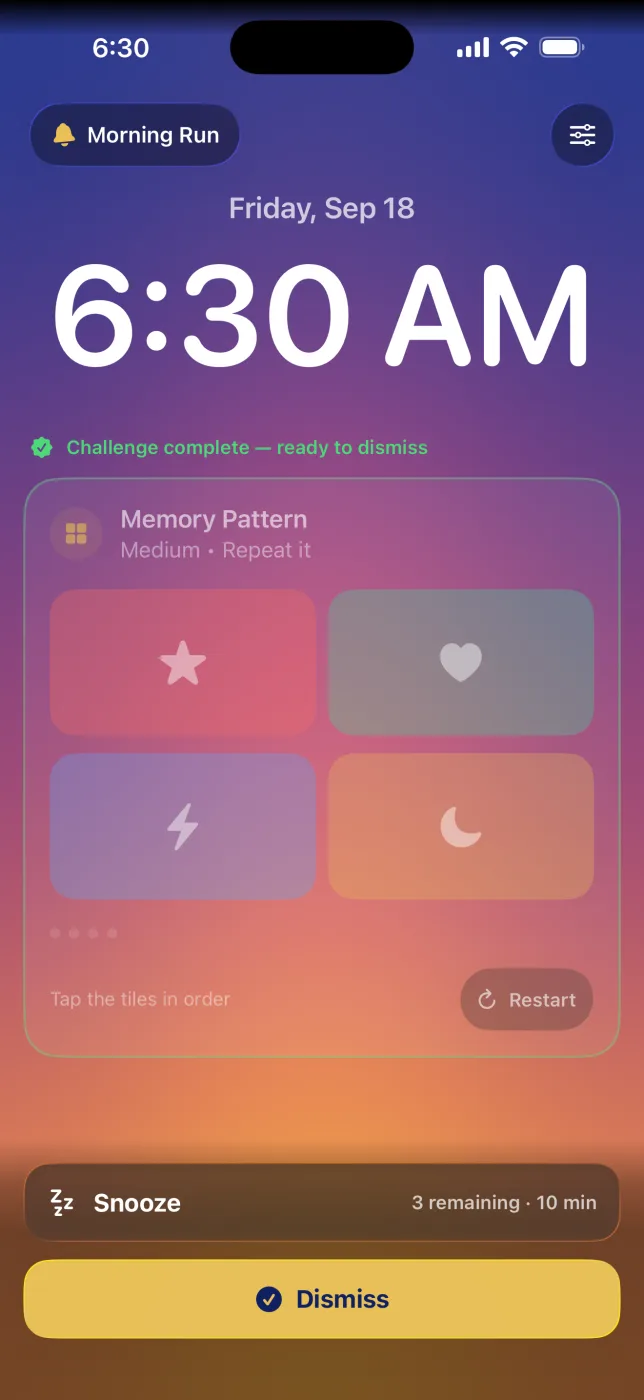
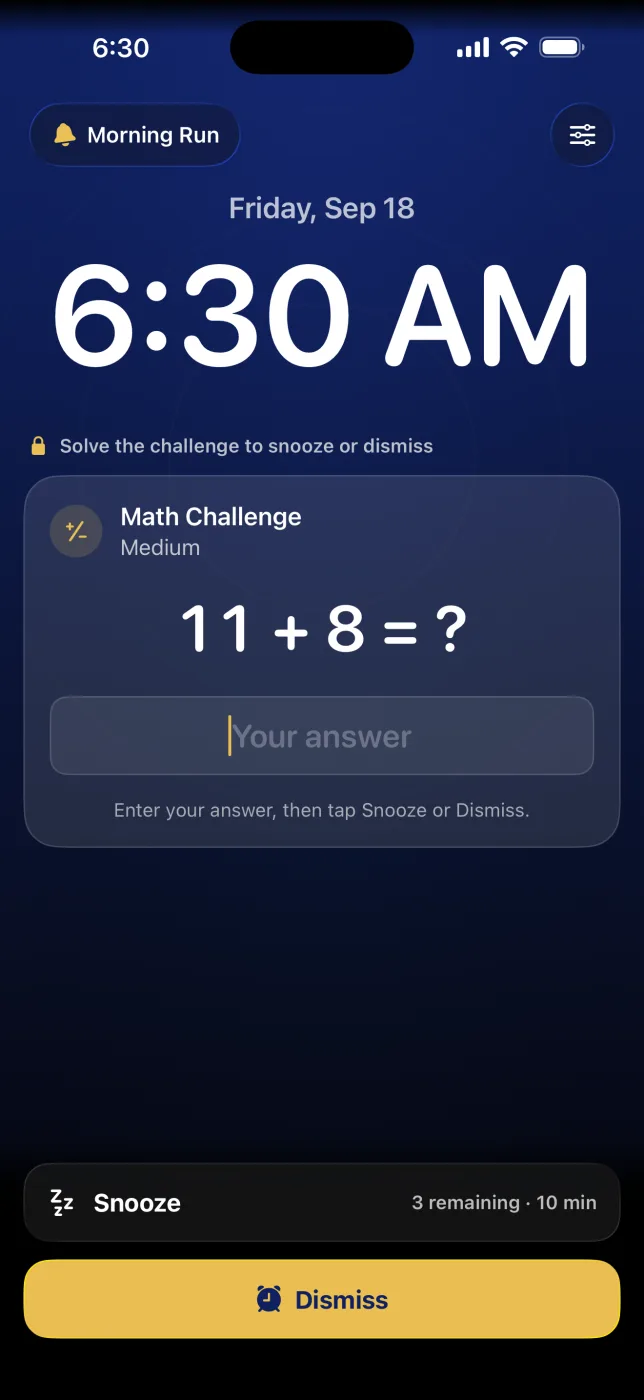
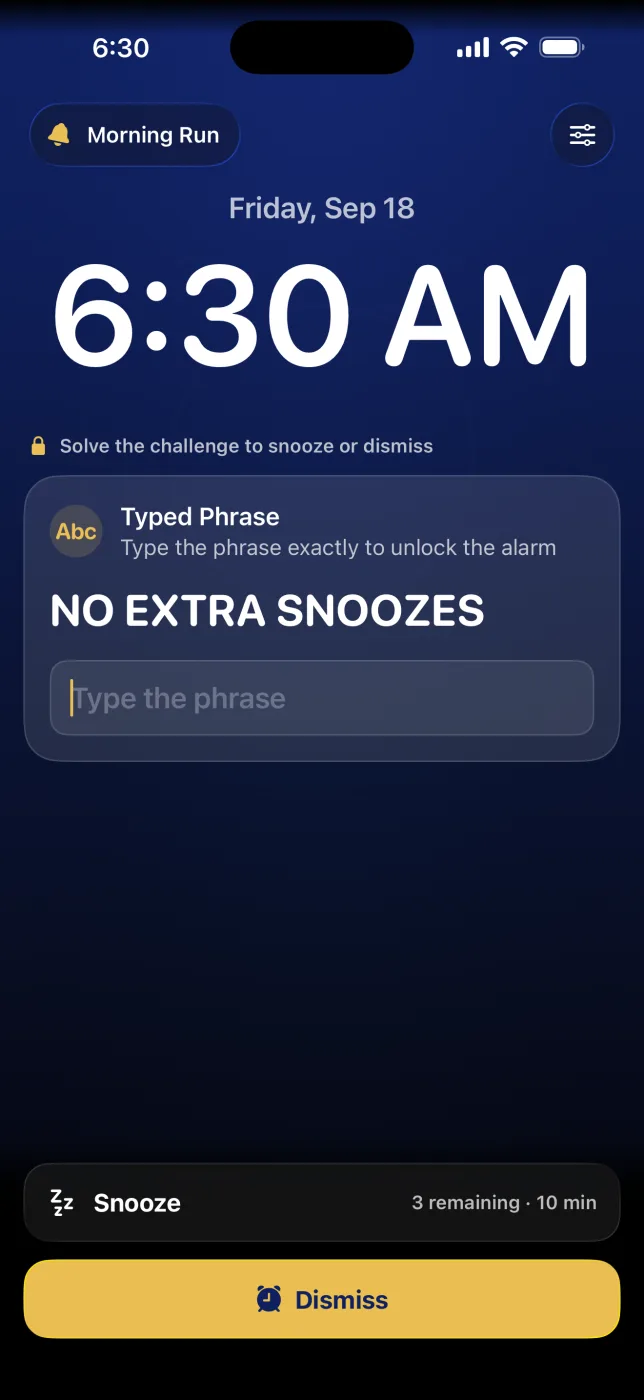
A whole new look, and a smarter way to wake up. Rebuilt from the ground up with Liquid Glass for iOS 26, Solve To Snooze makes you prove you're awake with a memory pattern, math, typed phrase, barcode scan, or step-count challenge while the sky brightens toward dawn. Solve it and the screen breaks into a sunrise. Earn your sleep.
Download on the App StoreNote: Solve To Snooze is not a medical device and does not provide medical advice. Always follow guidance from your healthcare provider.
Screenshots
See It in Action
What's new in 3.1
A Whole New Look, and a Smarter Way to Wake Up
Rebuilt With Liquid Glass
A brand-new design, rebuilt from the ground up with Liquid Glass for iOS 26.
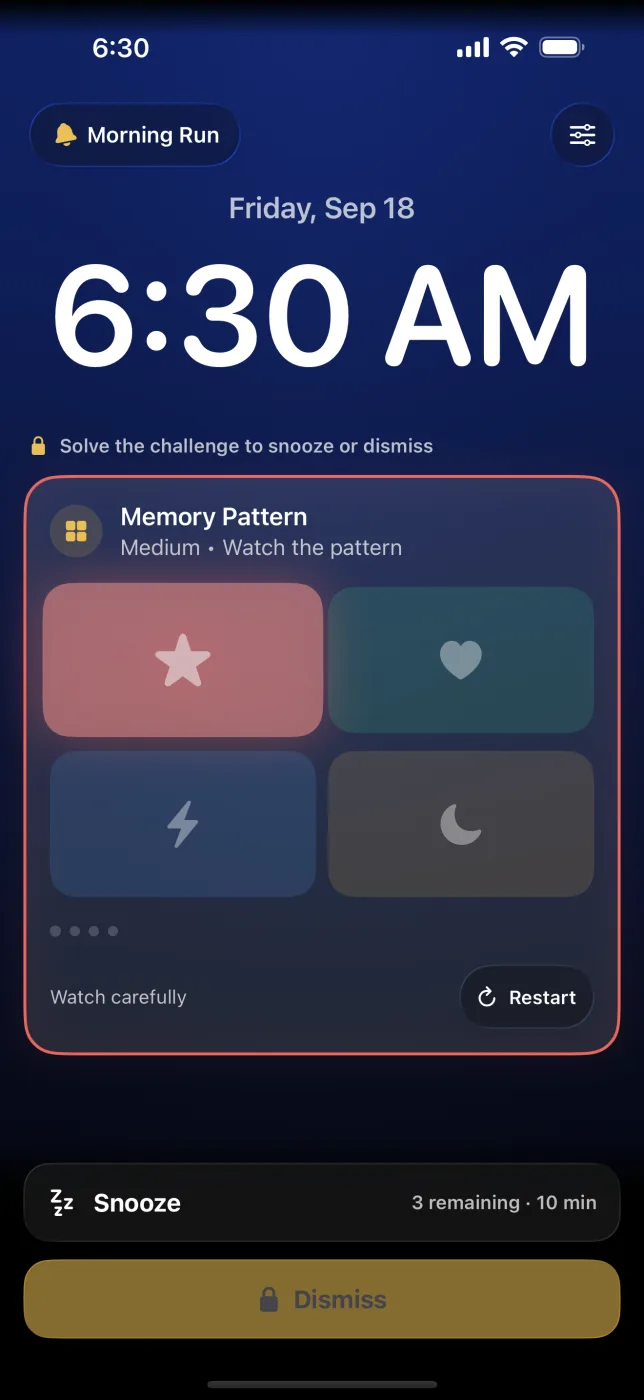
Sunrise Alarm Screen
The sky brightens toward dawn as you work through your challenge, then breaks into a sunrise when you solve it.
Ember-Red Escalation
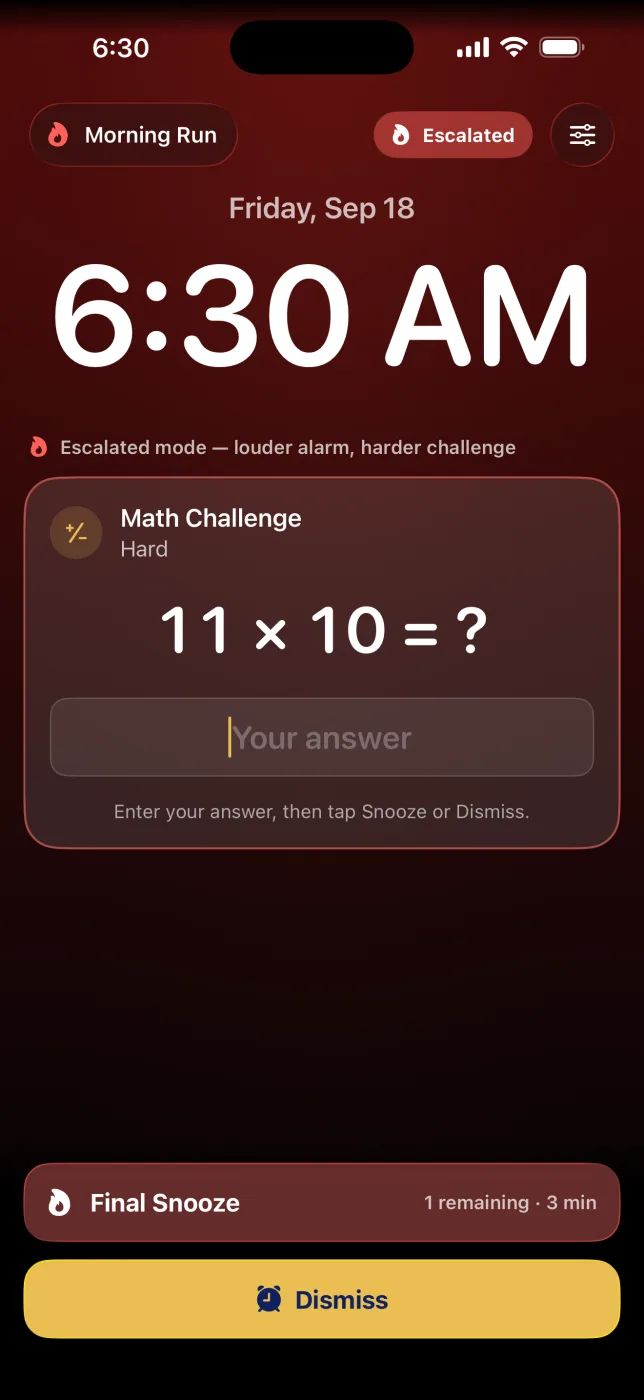
Escalated alarms burn ember red and switch to a harder challenge right away, so you know it's time to get up.
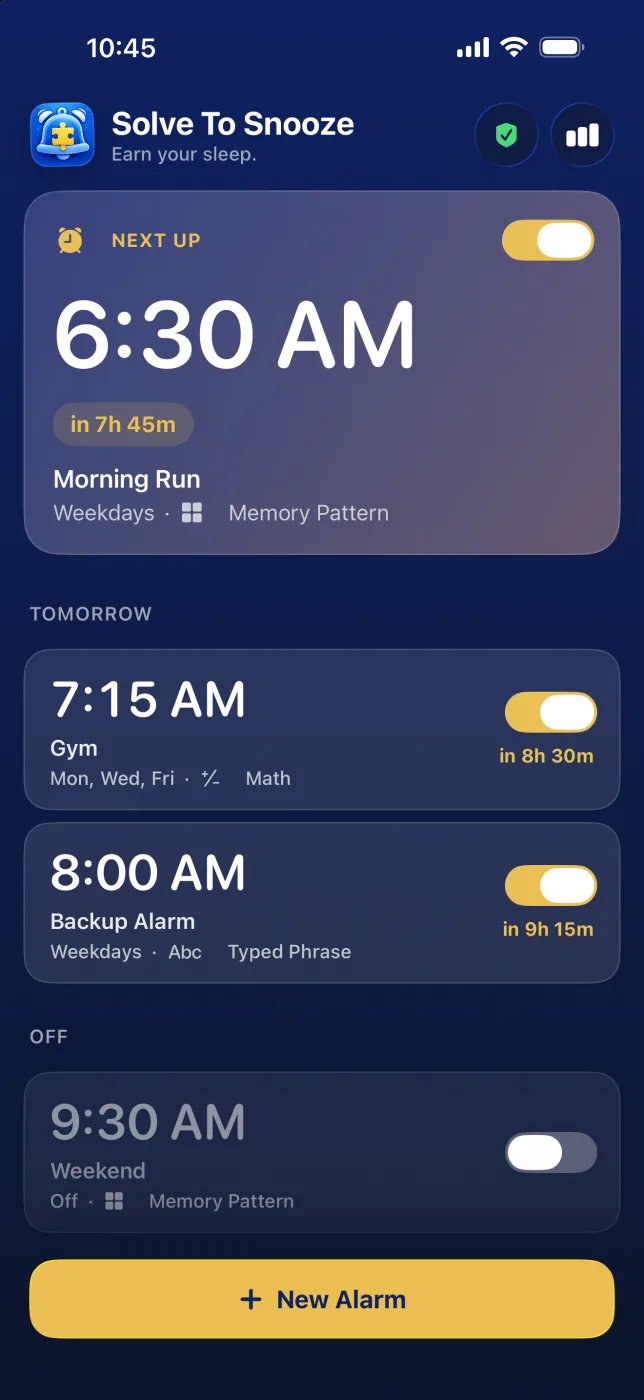
Next Up, Front and Center
Your next alarm leads the home screen with a live countdown and a card tinted to the time of day it rings.
Reliability Checklist
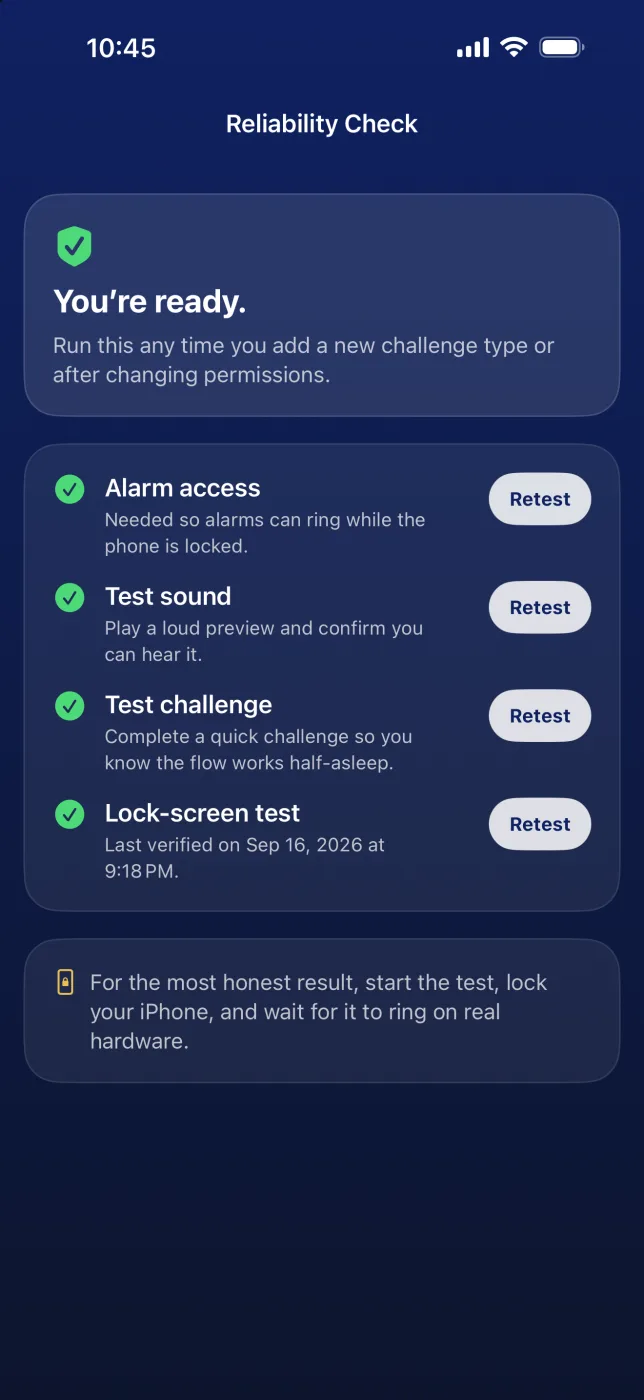
A new checklist confirms alarm access, sound, a practice challenge, and a lock-screen test so your alarm will actually wake you.
More Ways to Unlock
Get the Full Unlock, or buy just the part you want: the Challenge Pack, the Sound Pack, or the Power Pack.
Features
Harder To Ignore, Easier To Run
Wake-Up Challenges
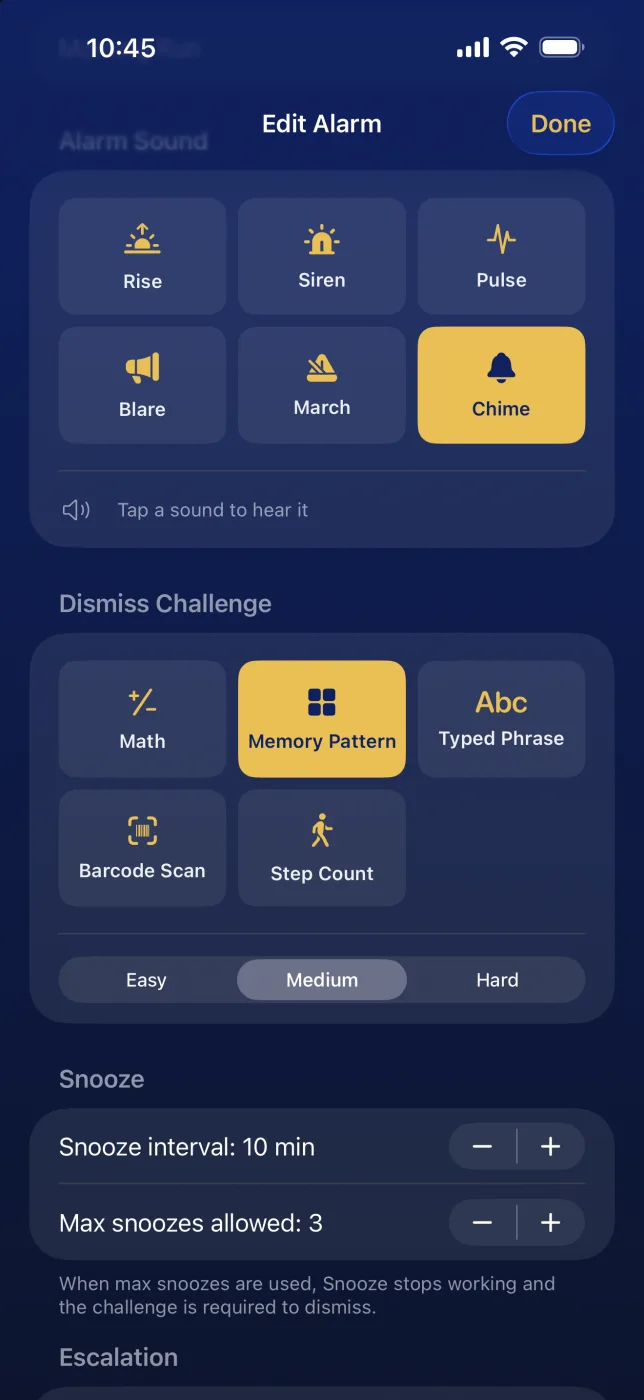
Choose the challenge that gets you moving: memory pattern, math, typed phrase, barcode scan, or step count, each at Easy, Medium, or Hard.
Reliability Check
Run a quick checklist for alarm access, sound, a practice challenge, and a lock-screen test before tomorrow morning does it for you.
Exact One-Time Alarms
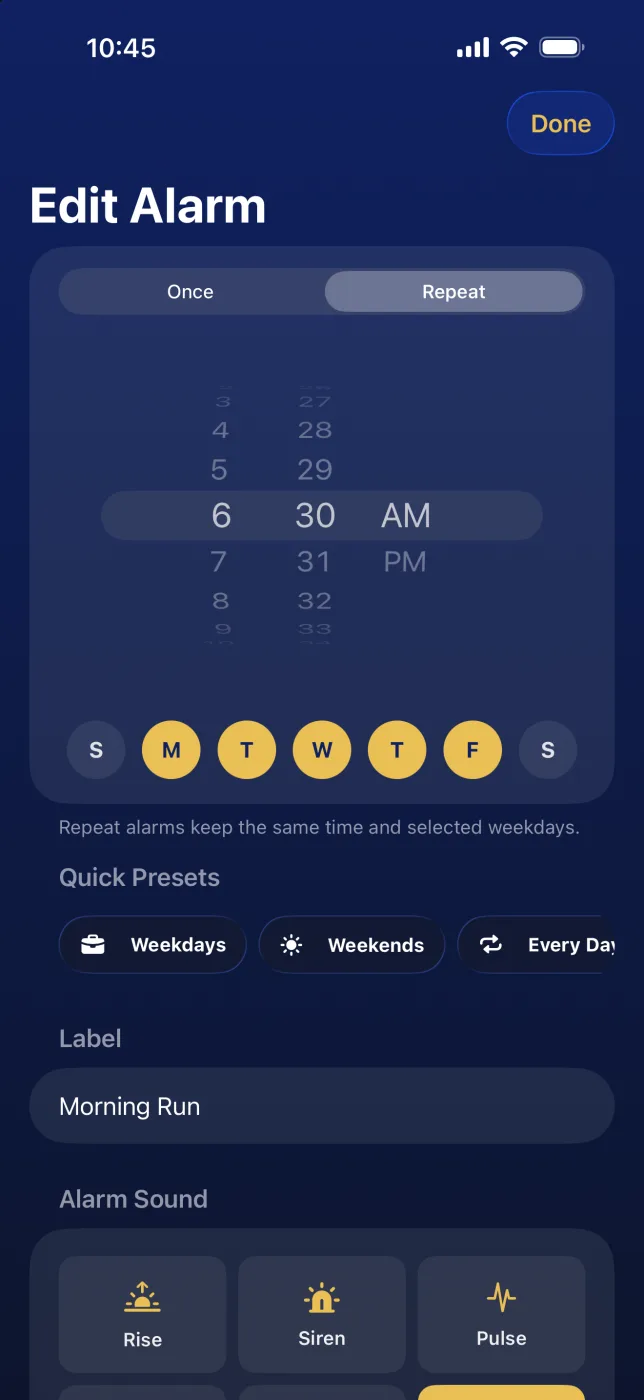
Schedule one-off alarms precisely when you need them, alongside repeating routines for the rest of the week.
Quick Presets
Set Weekdays, Weekends, Every Day, Tomorrow Only, or Skip Next in a couple of taps instead of rebuilding schedules by hand.
Escalation Mode
Repeated snoozes turn the alarm ember red and switch to a harder challenge right away, helping you break out of the snooze loop.
Real Max-Snooze Limits
Set a true cap on how many times you can snooze and let the app enforce it cleanly when the limit is reached.
Routine Reminders
Use challenge alarms for medication, hydration, or start-of-day routines where a normal notification is too easy to ignore.
Daily Flow
See What's Next and How You're Doing
Today, Tomorrow, Later, and Off
Alarms are grouped by when they ring, with disabled alarms tucked into Off, so your schedule is easy to scan at a glance.
Next Up Countdown
See your next alarm immediately with a live countdown on a card tinted to the time of day it rings.
Insights Dashboard
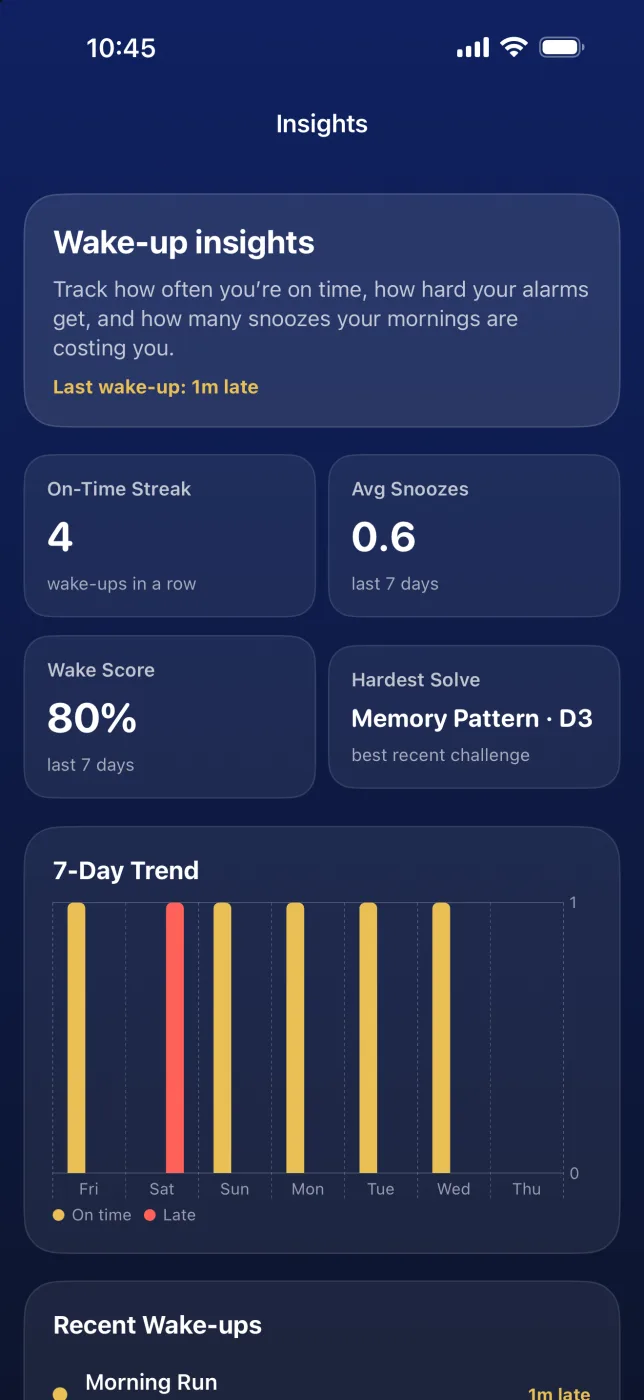
Track your on-time streak, wake score, average snoozes, hardest solve, a 7-day trend, and recent wake-ups.
Sounds and Challenges, Side by Side
Pick from Rise, Siren, Pulse, Blare, March, or Chime, tap to preview, and set the dismiss challenge and difficulty on the same screen.
Instant Scheduling Alerts
If an alarm can't be scheduled, you'll see it right away, with a one-tap Retry.
Private by Design
Everything stays on your device. No account, no cloud dependency, no ads, and no subscriptions.
Localization
Now in 7 Languages
Available in English, German, Spanish, French, Italian, Dutch, and Portuguese. Every screen, challenge, and setting adapts to your language automatically.
English
French
German
Spanish
Italian
Dutch
Portuguese
Need Help?
We've Got You Covered
Need help with wake-up challenges, the Reliability Check, snooze rules, unlock packs, or alarm scheduling? Check the support page or review the privacy policy below.