PHOTO & VIDEO // PRODUCTIVITY
iPhone & iPad Apple Watch iCloud Sync One-Time Pro Coming SoonThe Teleprompt
Keep your words in view and put your attention on the take. The Teleprompt is a video teleprompter for iPhone and iPad: write or paste your script, pick a comfortable scrolling speed, and record with your words sitting right under the lens. From a quick update to a full lesson, you stay focused on what you actually want to say.
Coming soon to the App StoreVersion 1.0 has been submitted and is pending App Store review. Requires iOS or iPadOS 17 and later.
Screenshots
A Look at the App
Captured from the shipping build. The recording screen is shot on a real device rather than the simulator, so it isn't in this set yet.
iPhone
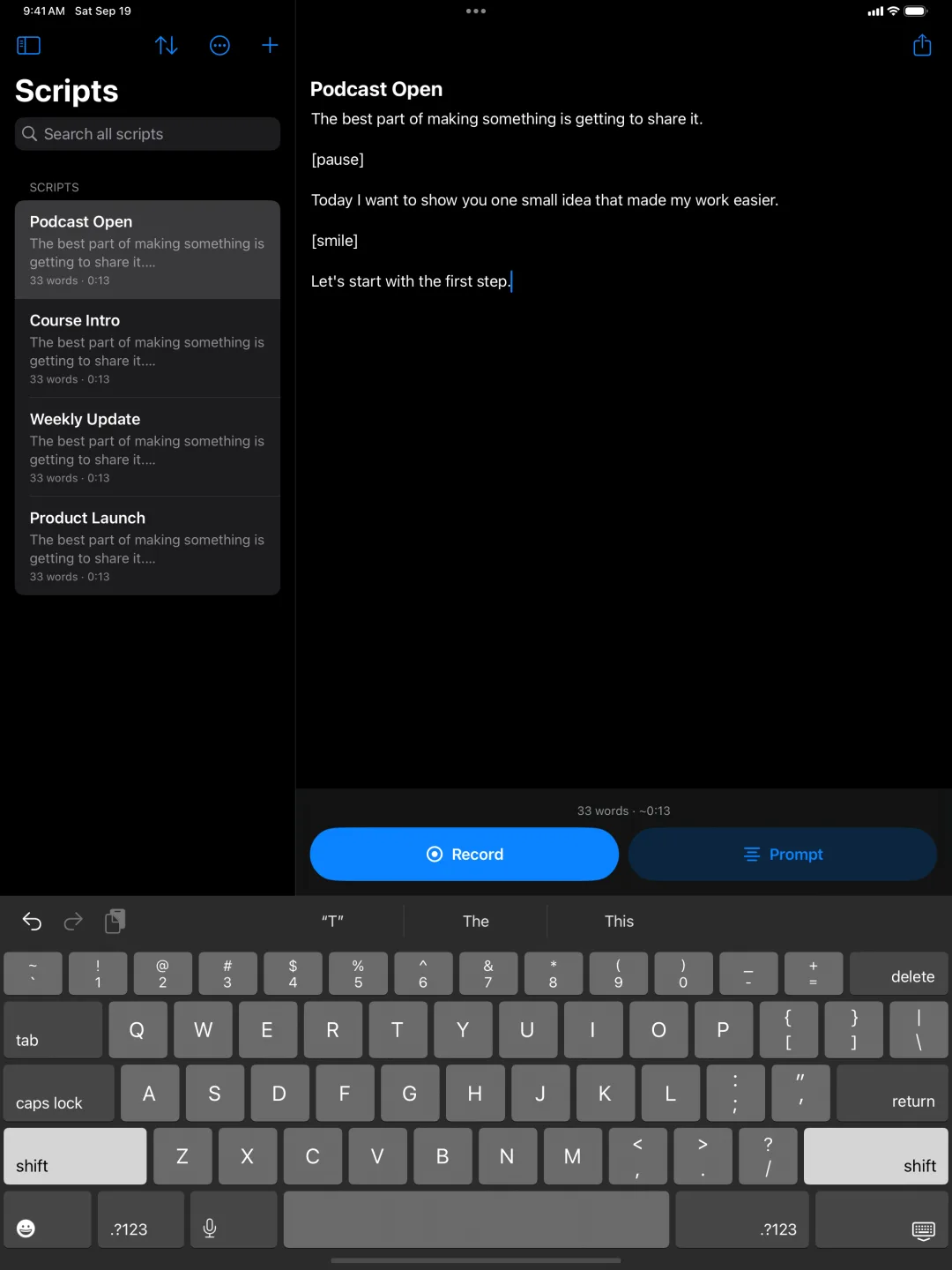
![The script editor with [pause] and [smile] cues in the text, and Record and Prompt buttons at the bottom](../assets/screenshots/theteleprompt/02-editor.webp)
iPad
Features
Read, Rehearse, Record
Read While You Record
See your script alongside the camera preview. Set a countdown, record with the front or rear camera, then preview the take. Keep it in Photos, share it, or run it again.
Find Your Reading Rhythm
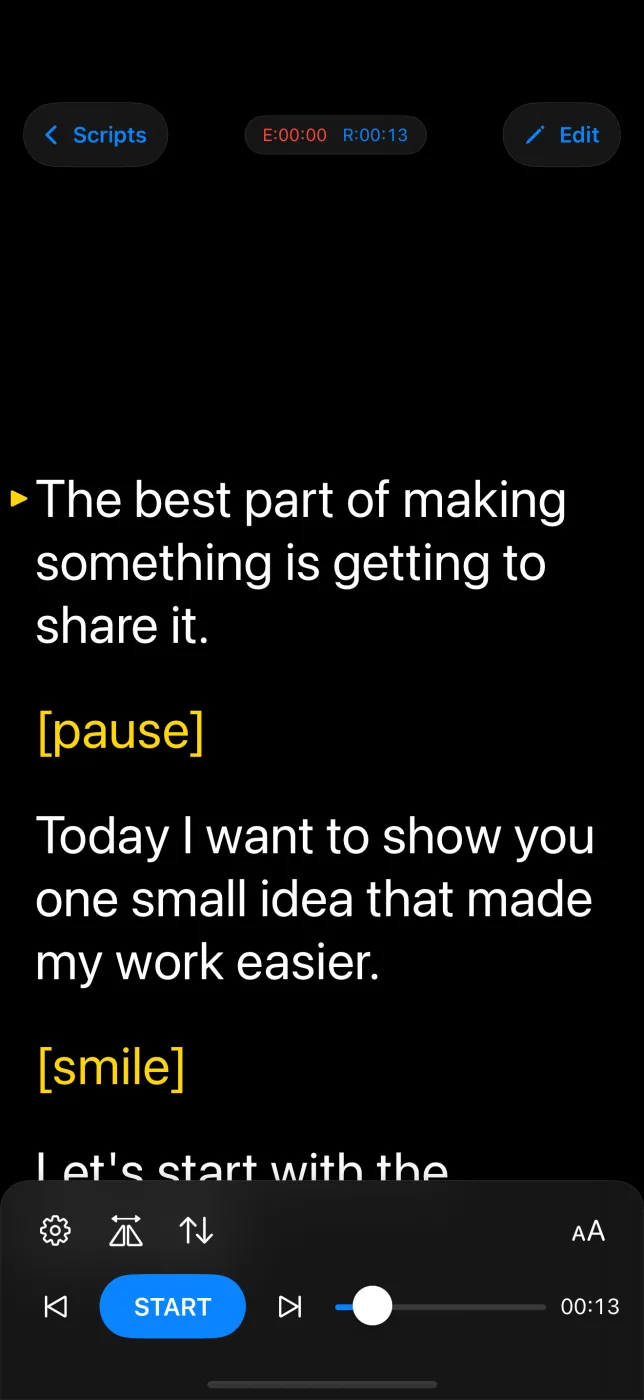
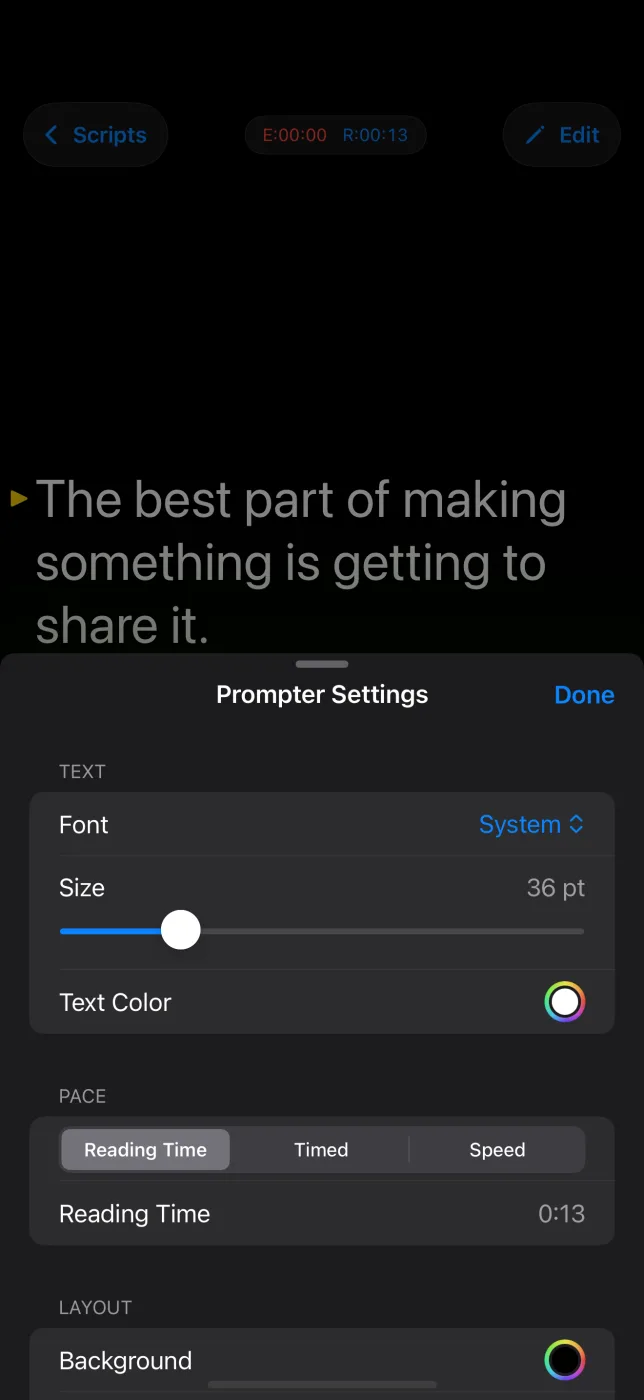
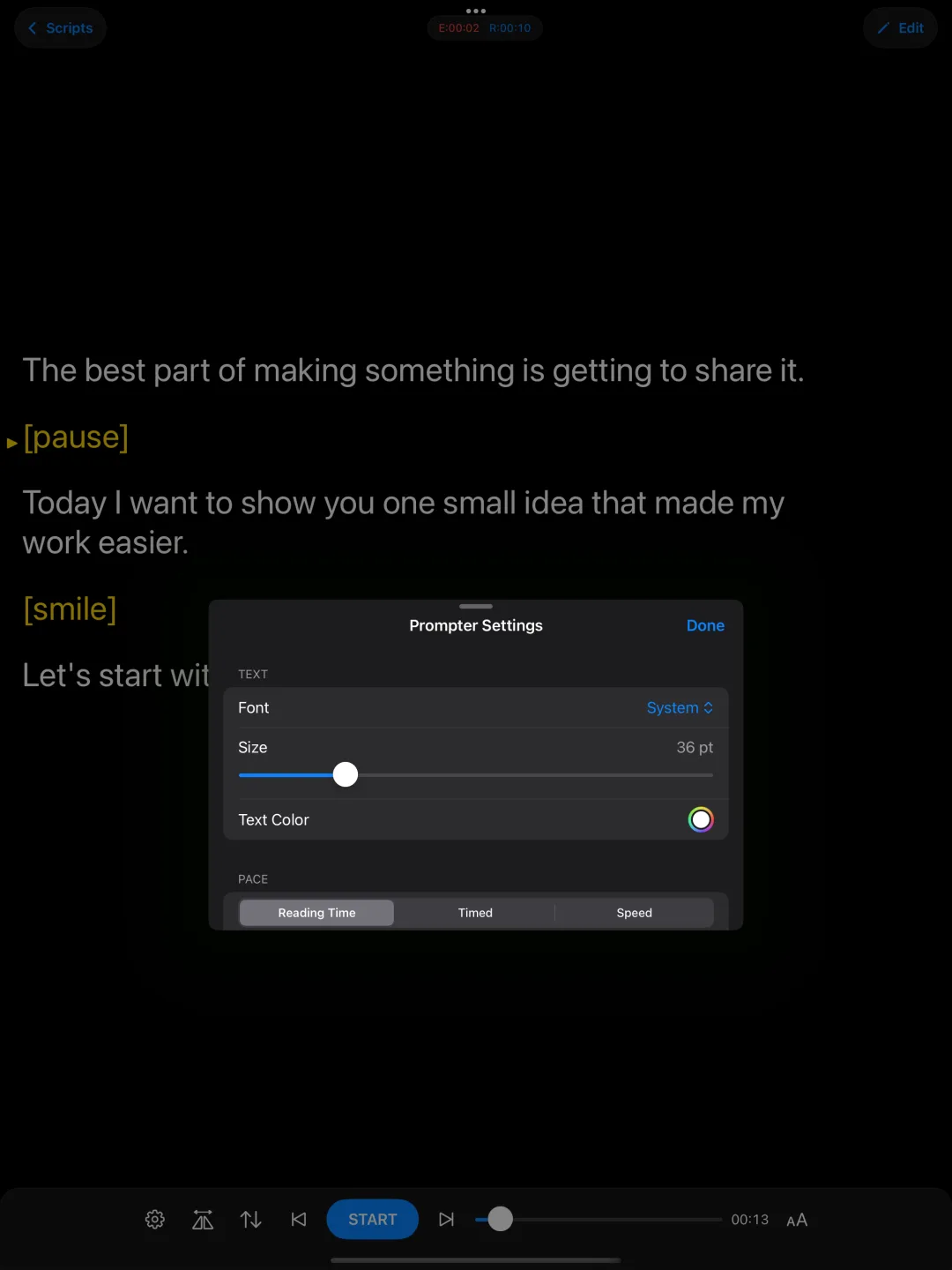
Adjust speed, text size, font, colors, and margins until the page reads the way you talk. Set a duration and let the pace follow it, or drive the pace by speed. Tap the text to pause or resume, and drag to find your place again.
Mirroring for Rigs
Flip the text horizontally or vertically for a beam splitter or a mirrored teleprompter rig, and reverse the scrolling direction when your setup calls for it. Included with Pro.
Cues You Can Spot
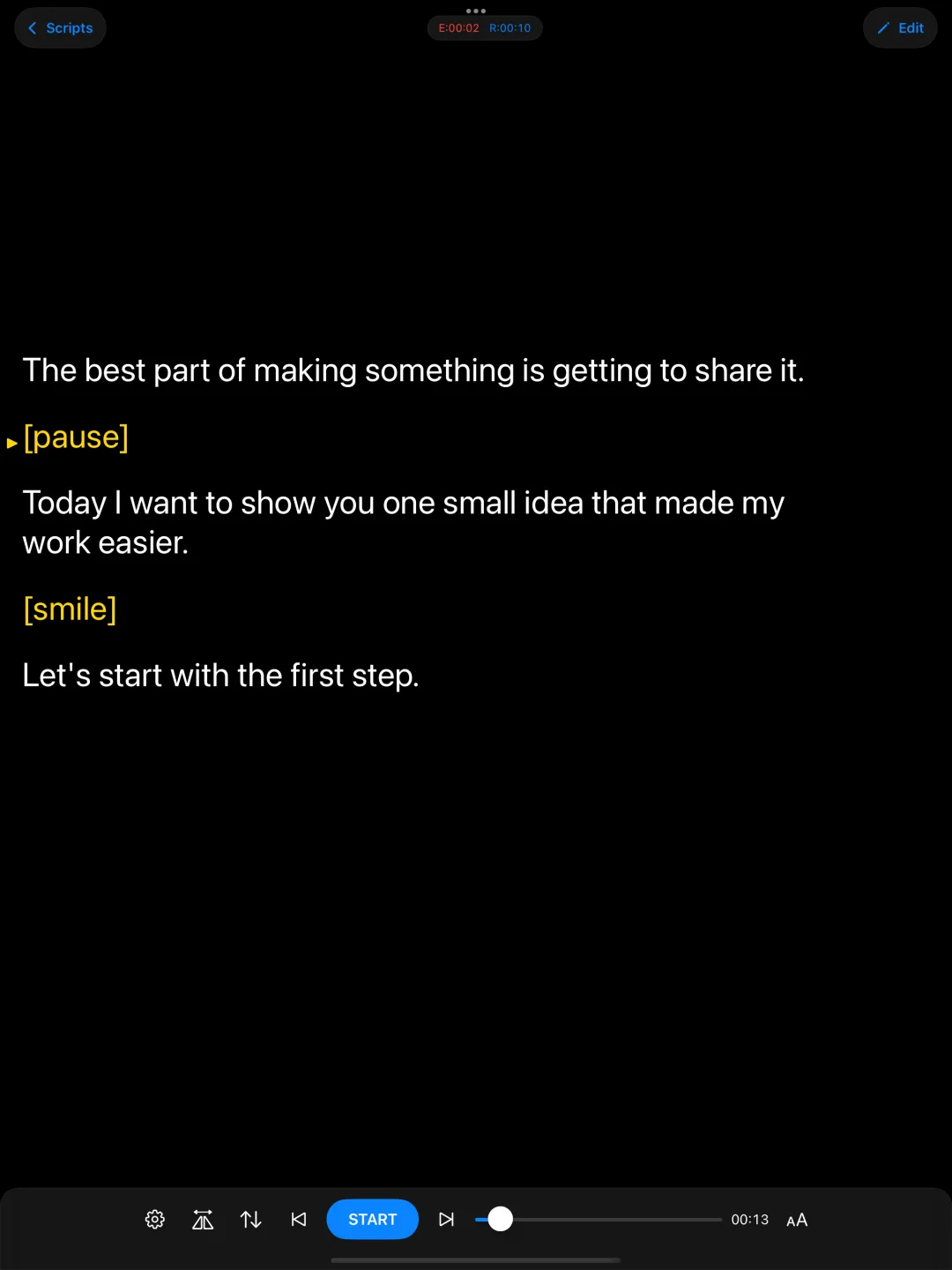
Write reminders in square brackets, like [pause] or [smile], and they are highlighted in yellow as they come up. They are for you, not for the take.
Know Where You Are
Choose a reading arrow or a reading line, jump between paragraphs with marks, and keep an eye on elapsed and remaining scrolling time.
A Library That Stays Tidy
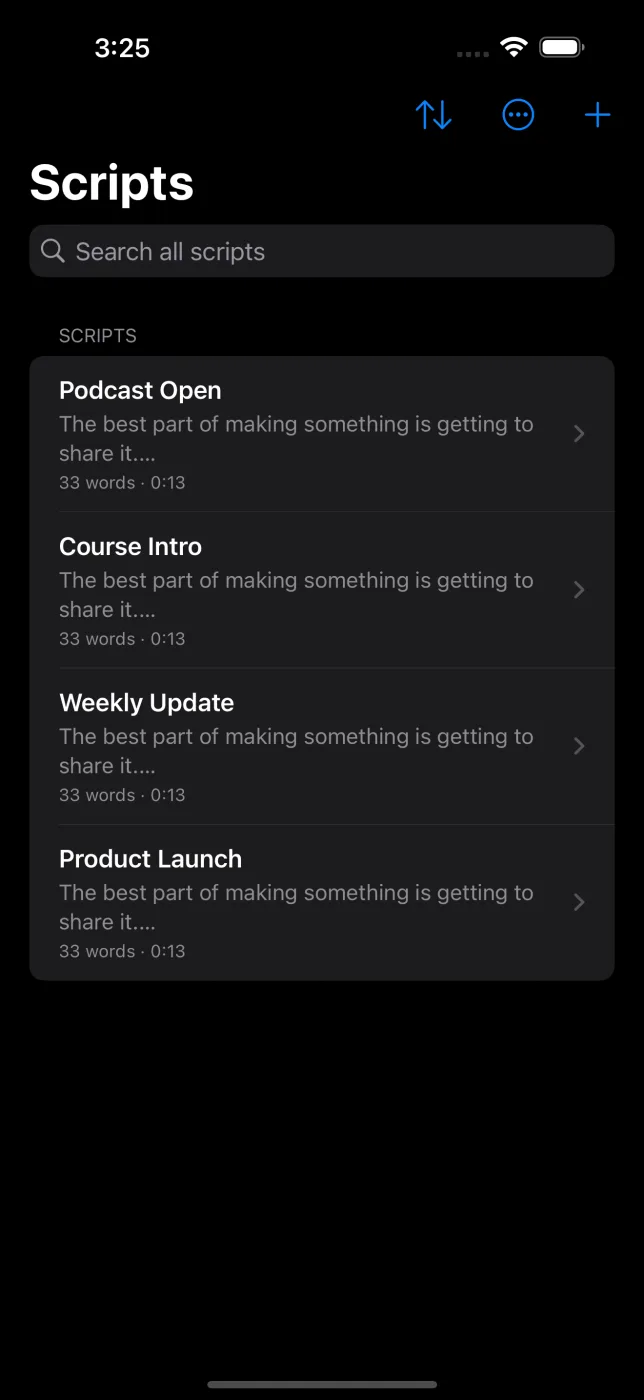
Write and edit in one place, sort and search your scripts, drag them into the order you want, group them in folders, and check word count and estimated reading time before a take.
iCloud Sync
Scripts and folders sync between your iPhone and iPad through your private iCloud database when iCloud is available. No app account to create.
Bring In What You Already Wrote
Import a script from Files, Mail, or Notes as plain text, Rich Text, PDF, or Word. Send a script back out as text or Rich Text, or back up your whole library to a single file and restore it on another device.
Caption Your Take
Get an .srt subtitle file for any recording. The timings come from your script and how fast it scrolled rather than from transcribing the audio, so they follow your delivery.
Control It Without Touching the Screen
Use a Bluetooth keyboard, a presentation remote, or a foot pedal that sends arrow keys — all included free. A connected game controller works the same way. With Pro, add the Apple Watch app on your wrist and a browser remote on your laptop.
Rehearse Without the Camera
Open Prompt mode to practice a presentation, speech, or lesson with a full-screen scrolling script and no camera at all.
Pricing
Start Free. Upgrade Once.
The Teleprompt is free to download. Pro is a single purchase, not a subscription.
Free
$0
Everything you need to start
- Unlimited scripts
- Up to 5 imported documents
- Recording up to 1080p
- Full prompting, pacing, and appearance controls
- Cues, marks, folders, and .srt captions
- Keyboard, pedal, and game controller remotes
- Prompt mode for camera-free rehearsal
The Teleprompt Pro
One-time
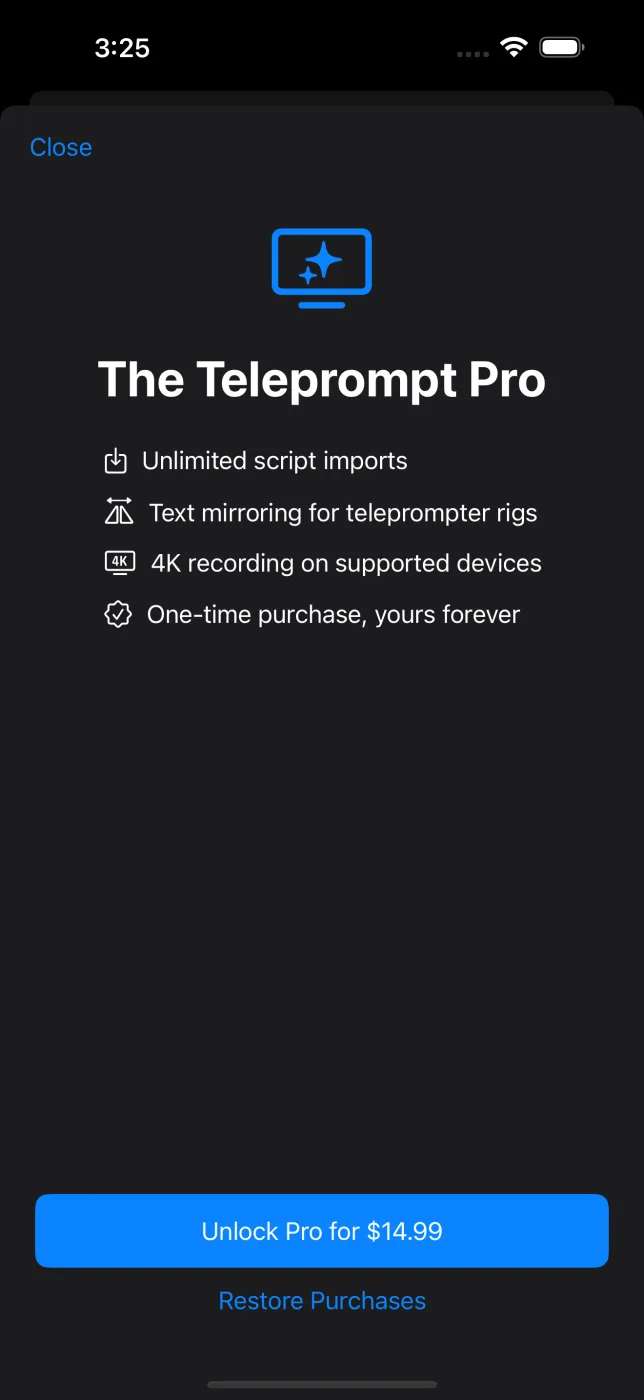
Unlimited imports. Mirroring. 4K on supported devices.
- Unlimited document imports
- Horizontal and vertical text mirroring
- Apple Watch remote on your wrist
- Browser remote from a laptop on the same network
- 4K recording on supported devices
- Everything in the free version
- One purchase, no subscription, restores on your other devices
Available recording resolutions depend on your device and the camera you choose. Final pricing is set on the App Store at launch.
Support
Support Is Ready
Questions about prompting, recording, iCloud sync, or the Pro upgrade can already flow through the support channel below.